
Apex Coaching Academy
Target 2026-27 | Weekly Master Time Table
⚡ Master Generator
Access the flexible all-in-one routine builder with full controls and customization options.
🏫 School Routine Maker
Preset for 6 daily class periods (Monday-Saturday) with zero period and lab session formatting.
🎯 7-Day Self Study Planner
Designed for competitive exams (UPSC, NEET, JEE) with focused morning and night revision blocks.
💼 Office Shift Routine
5-day sprint schedule for team rotations, client synchronizations, and daily work execution.
Free Coaching Timetable Maker – Create Weekly Batch & Class Schedules
Planning class hours across a coaching institute is easier when every lecture and batch has an organized slot. Timeslotify’s free coaching timetable maker is built for tuition centres, institute managers, teachers, and private tutors who need to organize multi-batch schedules without complex software. Whether you conduct classes for competitive exams (such as NEET, IIT-JEE, and Foundation) or run local tuitions, this tool helps you structure daily theory lectures, DPP problem-solving sessions, and revision blocks seamlessly.
Use this online institute batch planner to build a customized coaching routine or prepare a blank printable timetable template to fill in manually. Set your institute name, configure working days, and download your schedule directly as a clean PDF ready for classroom walls and notice boards.
How to Create an Institute Coaching Schedule Online
Follow these simple steps to build your coaching timetable in minutes:
-
1
Enter Institute Details: Add your coaching academy name, batch title, or target exam session (e.g., Target 2026-27).
-
2
Select Weekly Span: Choose between a 6-day (Monday to Saturday) or full 7-day schedule with dedicated Sunday test slots.
-
3
Set Lecture Timings: Choose your first class start time, wrap-up time, and slot duration (45 mins, 60 mins, 90 mins, or 2 hours).
-
4
Assign Subjects & Faculty: Click any cell to type subjects, faculty names, DPP sessions, or doubt-clearing periods.
-
5
Customize Visual Theme: Pick modern pastel, minimal black-and-white, or high-contrast styling and optionally upload your academy logo.
-
6
Download or Print: Export your finalized coaching schedule as an A4 vector PDF or print it directly from your browser.
What Is a Coaching Batch Timetable?
A coaching timetable is a structured weekly schedule that outlines lecture intervals, room allocations, faculty shifts, and test days across an institute. It prevents subject overlaps, ensures balanced teacher workloads, and gives students a transparent view of upcoming classes, revision hours, and mock exams.
Instead of designing messy spreadsheets or manually drawing tables on paper every session, an online timetable generator lets you adjust time slots quickly and generate clean, standardized printouts.
Blank Printable Template or Customized Routine?
Timeslotify supports both approaches depending on how your tuition or coaching center operates:
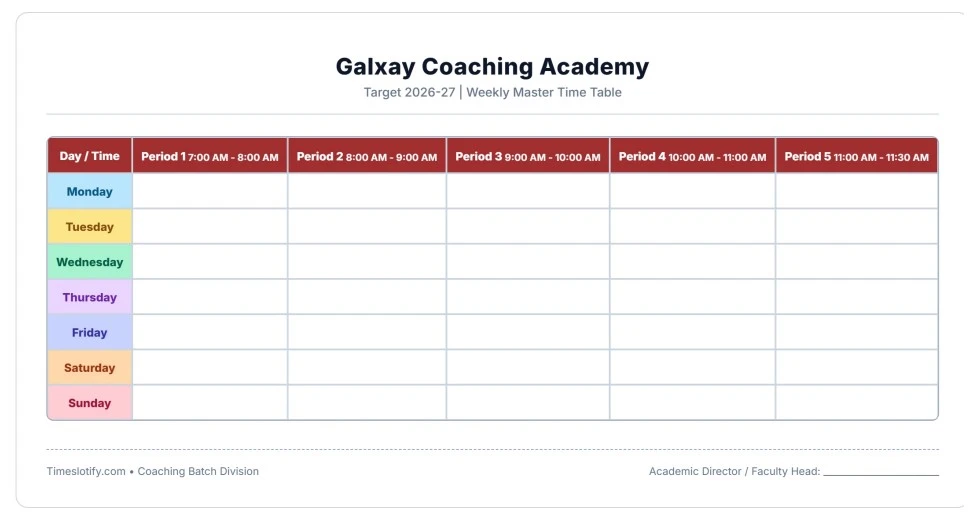
1. Blank Printable Coaching Timetable
Generate an empty timetable with your preferred daily time slots. Download and print the clean grid so teachers or administrative staff can write faculty names, batches, and room numbers by hand.
2. Customized Online Batch Schedule
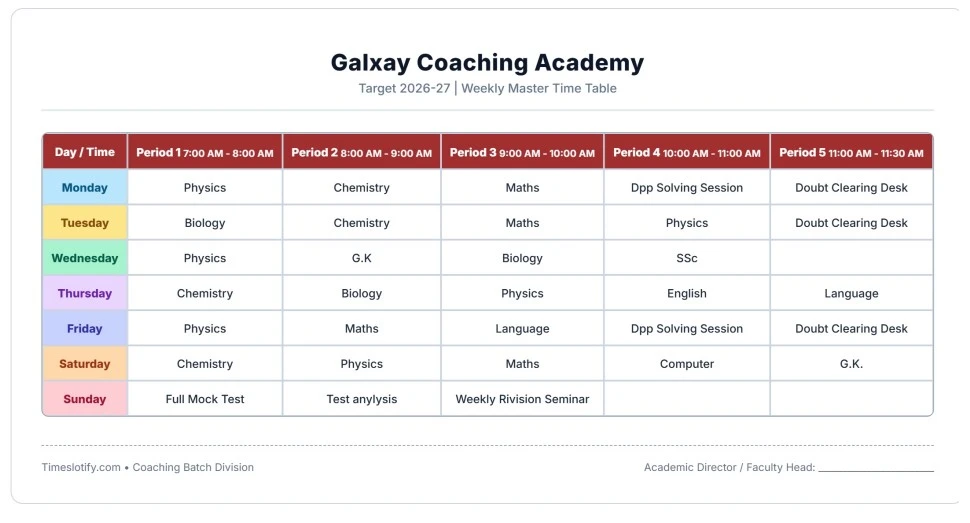
Type your actual subjects (Physics, Chemistry, Maths, Biology), teacher allocations, and break intervals online. Save the layout securely in your browser and export a crisp, digital A4 PDF.
Key Features of the Coaching Schedule Generator
- Flexible Lecture Intervals: Set slot lengths from 45 minutes up to 120 minutes for intensive mock tests.
- Full 7-Day Planning: Dedicated Sunday rows for full-length competitive tests, analysis seminars, and doubt clinics.
- Local Browser Auto-Save: Your table text, colors, and timings are automatically remembered without creating an account.
- Branded Notice Board Export: Upload your institute logo and export border-aligned A4 PDFs in landscape or portrait orientation.
- Zero Watermarks & 100% Free: Unrestricted routine creation for tutors, schools, and academy directors.
Best Practices for Coaching Routine Management
- Avoid scheduling heavy calculation-heavy subjects (such as Physics and Mathematics) consecutively without an interval.
- Reserve the first morning hour for conceptual theory and keep late afternoon slots for practice problem-solving.
- Keep dedicated doubt-clearing periods so students can resolve test queries before moving to new syllabus chapters.
- Distribute mock tests with sufficient review time to analyze error logs and speed metrics.
- Post printed schedules on student notice boards and share PDF copies on WhatsApp study groups.